
For most of the past two years, marketers have interacted with AI the same way: open a chat window, paste something in, copy something out, paste it somewhere else. It works, technically. But if you’ve spent any real time doing this, you’ve probably noticed how frustratingly slow and inefficient it is.
I’m going to show you how to build a customized operational flow that gets meaningfully closer to AI’s actual potential.
And it starts with a counterintuitive recommendation: marketers need Claude Code, not regular Claude!
Claude is a chatbot. Claude Code is an assistant
Rather than a chat window you bounce text in and out of, Claude Code is closer to a virtual assistant that can operate on your computer—reading and writing files, interacting with the apps you already use daily, and executing multi-step workflows while you maintain oversight.
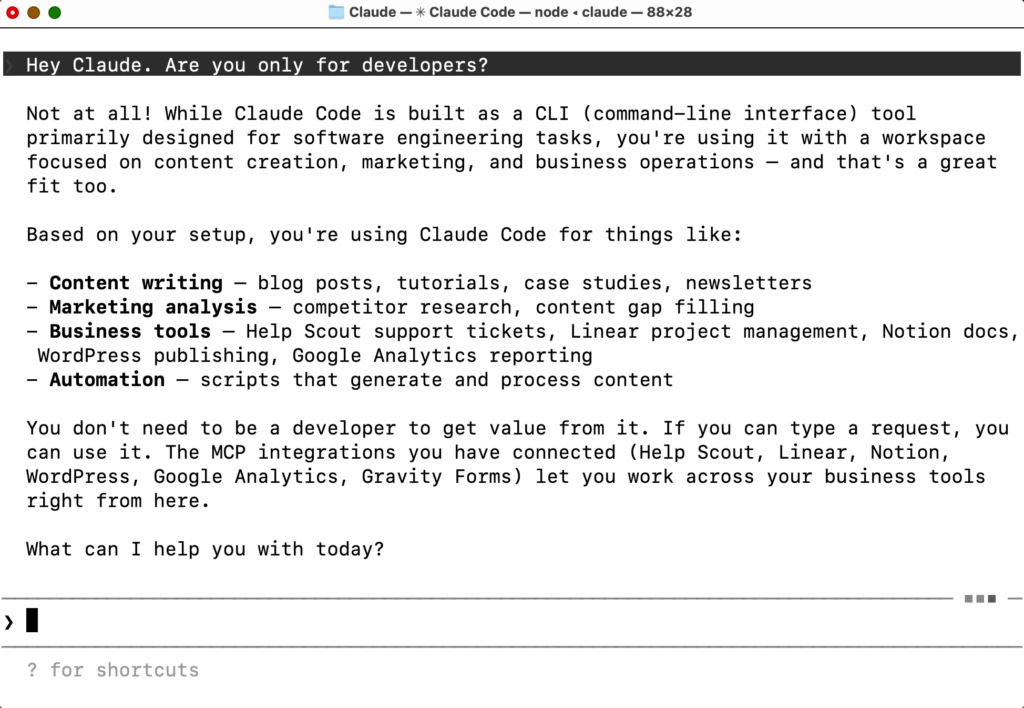
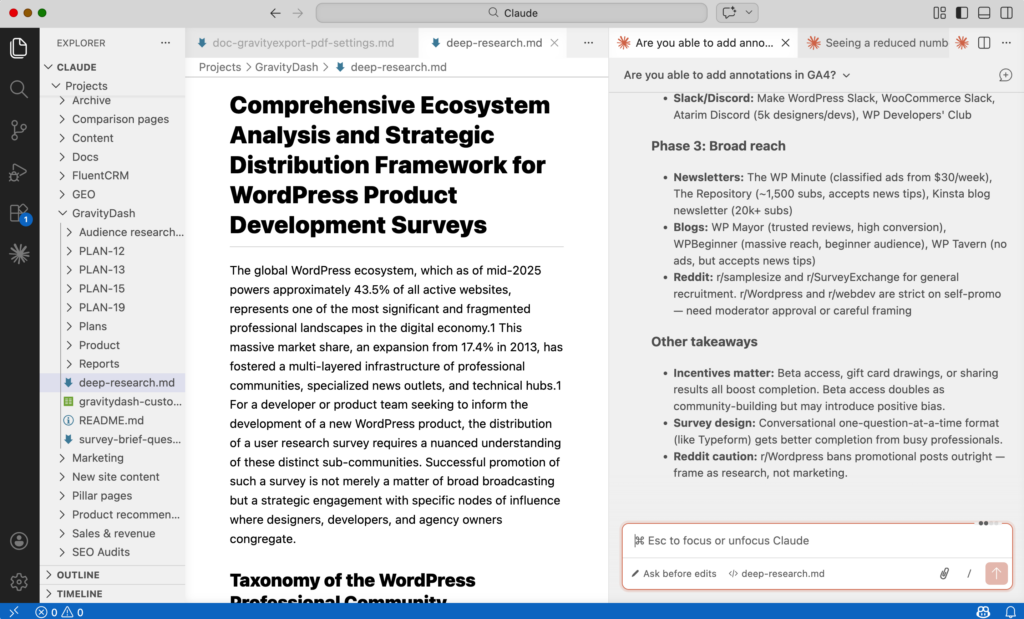
While Claude Code runs in the Terminal or the Claude desktop app, I recommend working in VS Code or a similar IDE with the Claude Code extension instead.
Why? Because an IDE is purpose-built for working with files, and that’s precisely what you’ll be doing. You can open multiple windows side by side, preview markdown documents as you write them, organize your skills and style guides in a visible folder structure, and customize the layout to fit the way you think.
It’s a far more approachable environment than a terminal, and perhaps more importantly, it gives you the kind of spatial awareness over your project that a single chat window simply cannot. If you’ve ever wished you could see everything at once rather than scrolling through a conversation, this is that.
As it turns out, the gap between “installing Claude Code” and “having Claude Code meaningfully accelerate your marketing work” is where most people stall. The tool is powerful, but power without structure often results in suboptimal outcomes.
Here is my three-step framework for bridging that gap.
Step 1: Map out your processes
Before you touch any configuration, start with something deceptively simple: write down what you actually do.
This sounds obvious, but it’s not.
Most marketers operate on a blend of habit, institutional knowledge, and muscle memory. We know how we publish a blog post or pull together a monthly report, but we rarely articulate the actual steps involved.
And yet this articulation is precisely what Claude Code needs to be useful. Without it, you’re asking an assistant to help with a job you haven’t described.
So map each process out. Include the steps, the apps involved, the inputs and outputs. Think of this as a blueprint for the skills you’ll create later (more on that in Step 3).
Example: Publishing a blog post
- Research – keyword and topic exploration
- Outline – structure and argument development
- Drafting – writing the full piece
- Tweaks – editing, formatting, final review
- Push to CMS – publish
Apps involved: Notion (drafting), WordPress (CMS), Google SERP API (research).
Example: Monthly reporting
- Define metrics – what are we actually measuring?
- Gather data – pull from analytics platforms
- Compare vs. previous period – contextualize the numbers
- Write report – synthesize findings into narrative
Apps involved: Google Analytics (engagement data), Metabase (eCommerce data).
When you force yourself to decompose your workflows, you start to see which steps are repetitive and ripe for automation, which require genuine human judgment, and which fall somewhere in the middle. That clarity is what separates marketers who use AI effectively from those who simply use it.
Step 2: Configure critical MCP connections
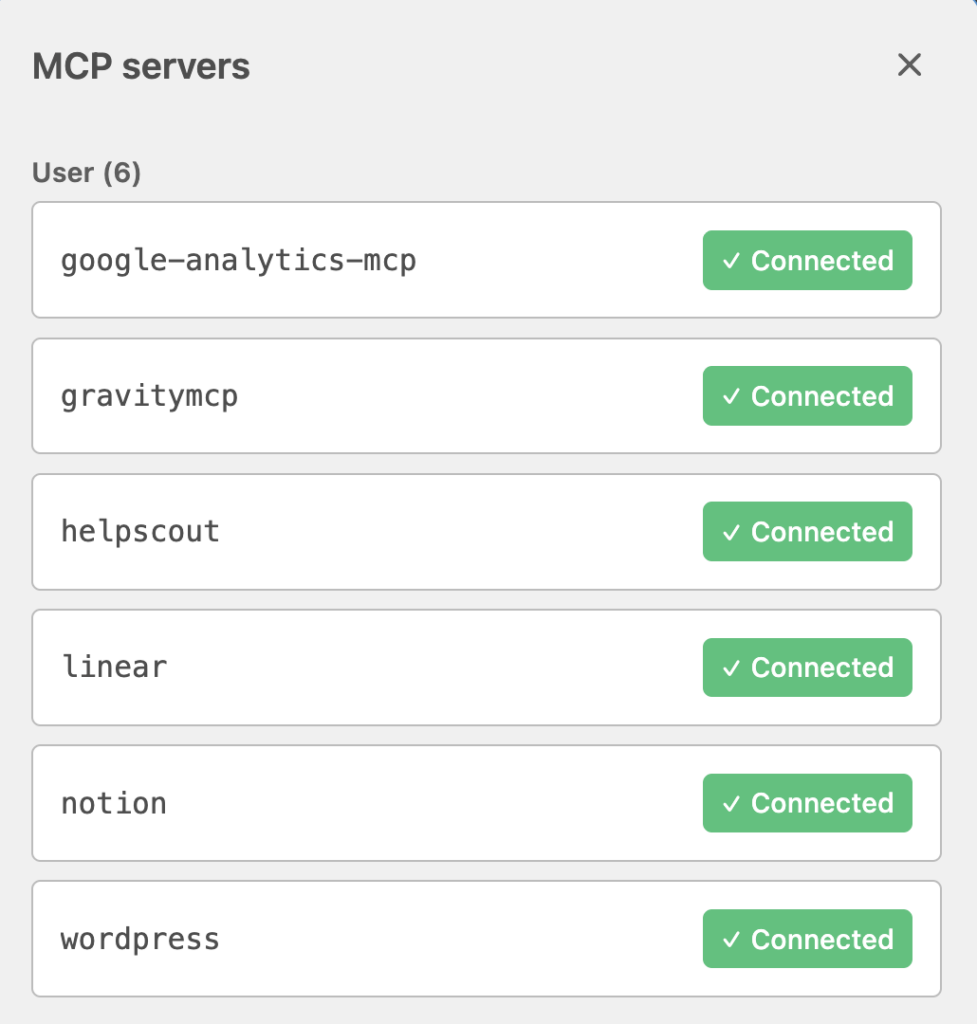
Here’s where things get tangible. MCP (Model Context Protocol) is the mechanism that allows Claude Code to interact with external applications—your CMS, your analytics platform, your project management tools, and so on. With these connections, Claude Code becomes something closer to an operating system for your marketing stack!
The setup process is relatively straightforward:
- Find official MCPs for the apps you use. Anthropic and the developer community maintain a growing library of these integrations.
- Configure each connection. In many cases, this is a matter of adding a few lines to a configuration file. If the technical side feels unfamiliar—and for many marketers, it will—simply give Claude a link to the MCP documentation and ask it to handle the setup for you!
MCP is the connective tissue between an AI assistant (in this case, Claude Code) and your daily operating environment.
Step 3: Create skills
This is where the framework comes together. Skills are reusable instruction sets that tell Claude how to perform a specific process or action. Your process maps from step 1 will inform the skills that you create.
Generally, you’ll want one skill for every process that you mapped in step 1. However, if a process requires multiple steps and/or strict human oversight at regular junctures, you’ll often want to break those up into multiple skills so you have more control over the process.
Here’s an example:
- You invoke the
/blog-outlineskill – Claude then uses the Notion MCP to check your Notion database for blog ideas, scores each one according to business relevance and traffic potential, does in-depth research into the topic (perhaps by using another MCP, like the Ahrefs MCP), and creates an outline for you to review. - After reviewing and tweaking Claude’s outline, you invoke the
/write-blog-postskill – Claude takes the finished outline, and turns it into a polished blog post based on your brand’s style guide. - After reviewing the final post, you invoke the
/save-as-draftskill – Claude then uses the WordPress MCP to push the new post to your website, add relevant categories and tags, and save it as a draft for you to review.
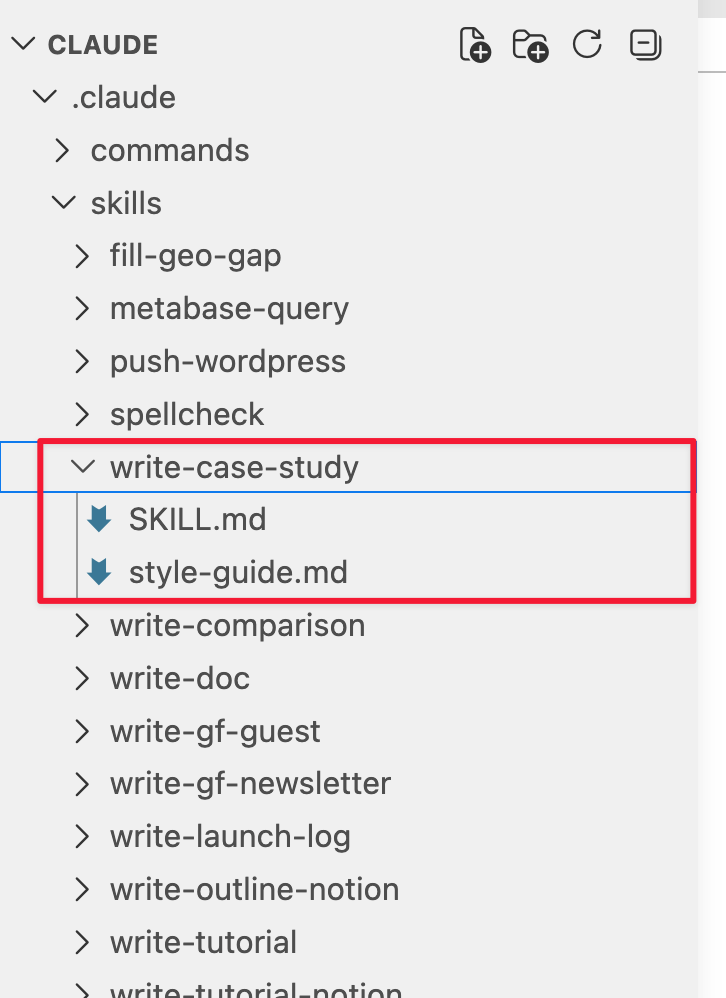
A skill typically consists of a markdown file (a SKILL.md file) that outlines the process, the context Claude needs, and any reference materials it should draw on (style guides, scripts, report formats). For a blog writing workflow, this might include a skill file describing the end-to-end process and a separate style guide file capturing your brand’s voice, tone, and writing conventions.
You don’t need to master the format or syntax—just describe the workflow you mapped in Step 1 (or send it the actual process map), and ask Claude to generate the corresponding skill file.
You can say something as simple as “Create a skill for my blog publishing workflow that follows these steps,” hand it your process map, and let it produce a structured .md file you can review and refine. Claude will build its own instructions (with your oversight, of course).
This extends to reference documents as well. You don’t need to write a style guide from scratch. You can point Claude at previous work you’ve published (past blog posts, reports, email campaigns) and ask it to analyze the patterns. What’s the typical sentence length? What tone do you strike? How do you structure arguments? Claude can synthesize these observations into a draft style guide that you then refine.
As you use these skills more and more, you will find opportunities to improve and refine them. Working with AI isn’t set-and-forget, it’s a dynamic process that rewards those who are prepared to spend time iterating, testing, and experimenting.
Markdown is your friend
Markdown (.md) might look unfamiliar at first glance, but it’s perhaps the most important format for marketers working with AI to understand. And the best part is that it’s way simpler than it appears.
Why is markdown the file format of choice for AI assistants? Because AI models process text as tokens, and markdown is extraordinarily token-efficient. Unlike a Word document or a Google Doc (which carry layers of hidden formatting, metadata, and styling information) a markdown file is plaintext content with minimal structural syntax.
A heading is just a #. Bold text is a pair of **. That’s largely it. This means Claude can read, interpret, and act on markdown files quickly and inexpensively, without wasting context on formatting noise that adds no meaning.
Your process maps, your style guides, your skill files—all of them should be written in markdown. The format is human-readable, AI-friendly, and easy to edit. If you’re working in VS Code as suggested earlier, markdown files can be rendered beautifully inside the editor.
The real shift
What I’ve outlined here is a starting point. Perhaps the most important thing to understand is that the ceiling is far higher than three steps. Once you’re comfortable with skills and MCP connections, Claude can write custom scripts that automate entire workflows end to end.
It can pull data from multiple sources, synthesize it, and surface insights you’d never have time to dig for manually. Need to cross-reference your GA4 data with CRM records and produce a segmented performance report? That’s now a prompt, not a project.
The real leverage doesn’t come from asking AI to produce things but from enabling it to do things. What does marketing look like when your most repetitive workflows are handled by an assistant that understands your stack, your processes, and your brand voice?
And what do marketers become when the operational layer is largely automated, and the job shifts toward strategy, creativity, and judgment?
The framework is simple, and the tools are ready. The hardest part is starting.